
APIs are business drivers.
The global market growth for APIs is set to cross the 1 Billion US Dollar market capitalization by 2026. The real question here is why is the market growing so big? It’s one thing to develop APIs and completely other to make money of them.
Yes, there are companies who are actively making money off their APIs. The important thing here is to understand the difference is the key to leveraging what APIs hold and that’s where Functional API testing becomes crucial.
We did a small survey of 50 participants where we found some interesting revelations. Many surveyed members dealt with APIs, and some made even money from their APIs. Example The largest payment gateway providers, Tech unicorns and etc.
Strikingly the one thing was common across all successful API implementations. They created frameworks and invested in API Functional testing tool that set the scale for them.
What Is Functional API Testing?
API testing is the process of validating whether an API works as expected — correctly, reliably, securely, and under different conditions. Instead of testing through the UI, API testing checks the core logic, data flows, and interactions between services that power your application.
And Functional testing focuses only on your API functions it ensures that it works from the business and users’ point of view.
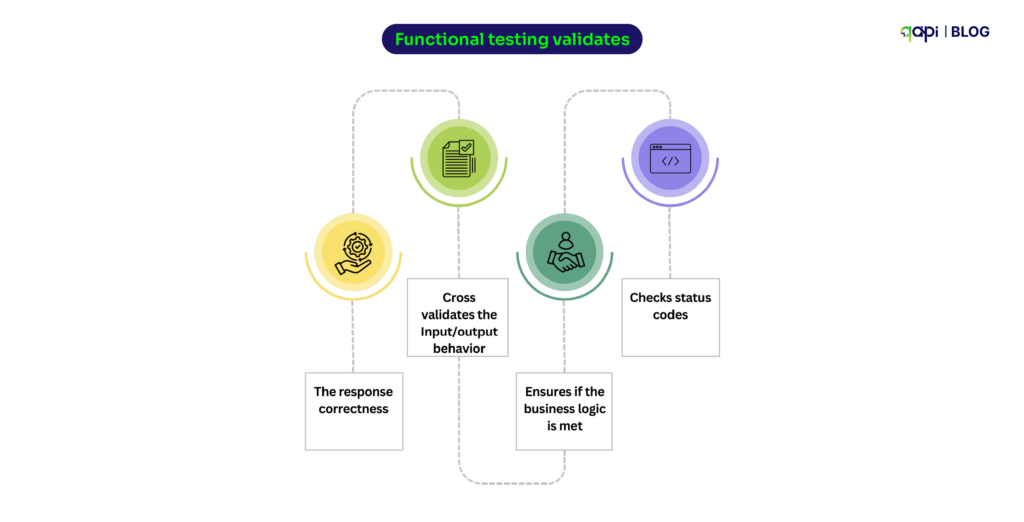
Functional testing validates:
• The response correctness
• Cross validates the Input/output behavior
• Ensures if the business logic is met
• Checks status codes
Why Should You Invest in a Functional API Testing Tool?
During our survey we noticed that a lot of API users, they just build APIs. But the way the APIs are tested is inefficient or lacks a collective outcome.
They’re just checking status codes and hoping everything else works.
That’s the problem.
In our conversations and surveys with API teams, one pattern kept repeating:
Developers need to build APIs fast… but structured, automated API testing remains unclear for some.
And that gap becomes expensive — delay in releases, hidden logic failures, contract breaks in microservices, and production incidents that should’ve been caught earlier.
So here are some real questions developers ask (and the answers they actually need)
Why do API tests fail even when the UI works?
Because UI tests can’t identify API failures. A loading spinner can mask a 500 error. This is why with functional API tests you can get the visibility— and you fix issues before users see them.
It exposes broken contract fields, inconsistent logic, or microservice failures long before users ever experience them. This gap is exactly why teams eventually adopt deeper API-first testing practices: you can’t rely on the UI to tell you whether the backend is healthy.
What are the best API testing tools for automation?
Depends on your stack.
When teams begin evaluating tools for automation, they quickly discover that “best API testing tool” depends entirely on their workflow.
Code-first teams often prefer libraries like Rest Assured, Karate, or Postman fraeworks because they align with developer-centric pipelines. Teams wanting easier API handling qAPI, where low-code workflows, shared workspaces, and faster onboarding matter more than writing assertions by hand.
The real upside though, is toward with qAPI because it provides scripting flexibility with cloud-native, automation-ready execution — a space where developer dependency is removed. As the application is skilled enough to take care of all the test cases and coding aspect.
Why do we say that
How do you test 1000+ API endpoints efficiently?
Things become significantly more challenging when you’re staring at an API surface with 1000+ endpoints. At that scale, manual test creation is let’s just say not ideal.
The only sustainable approach is automation-first: import your OpenAPI or Postman collections, let AI generate a baseline suite, and then refine coverage using analytics, usage patterns, and risk scoring.
qAPI does that by offering parallel execution and contract testing — the moment your API schema drifts, dozens of downstream services can break. So qAPI helps by automatically generating tests from imports, mapping coverage gaps, and running tests completely end-to-end in just a few clicks.
What’s the alternative to Postman for large teams?
Look for: RBAC, version control, CI/CD gates, audit trails, and centralized reporting. Postman is great for development and debugging — but large teams face issues:
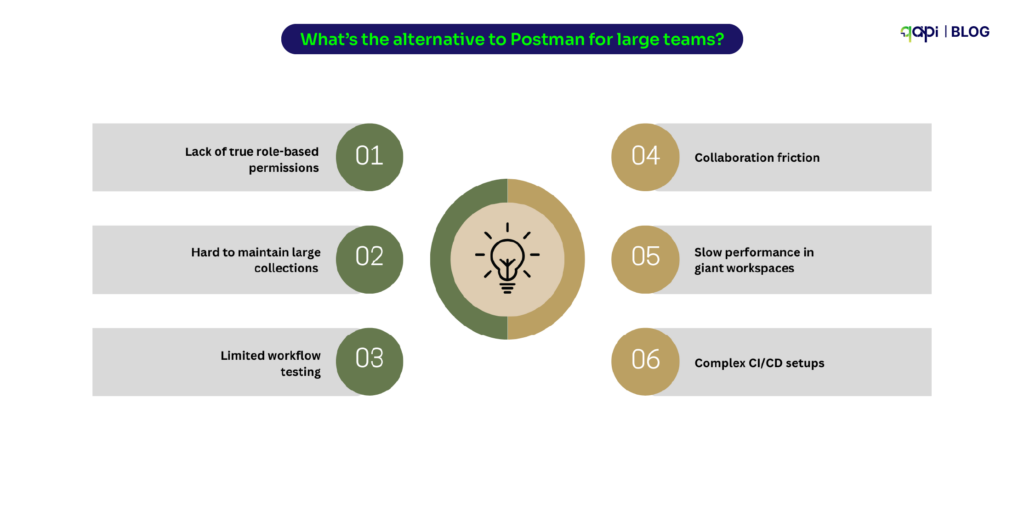
• Lack of true role-based permissions
• Hard to maintain large collections
• Limited workflow testing
• Collaboration friction
• Slow performance in giant workspaces
• Complex CI/CD setups
If Postman is for building APIs, qAPI is for building and testing APIs end-to-end at scale. It’s less about “replacing Postman” and more about evolving from a development tool to a testing platform that is affordable and built for scale.
How do you test APIs for mobile vs web?
Mobile APIs behave differently: they must handle network drops, offline caching, token refresh logic, background sync, and device-level fragmentation.
Web APIs on the other hand, run on more predictable networks and face browser-level constraints like CORS, cookie handling, and session expiry.
Your Testing strategies must adapt accordingly. Tools that allow network load testing, Functional API testing, chained workflows, and multi-environment validation—such as qAPI—are particularly useful here, because they capture all the needed edge cases mobile teams deal with daily.
Can AI really automate API testing accurately?
Yes — when guided by humans. AI excels at generating tests, detecting flakiness, and suggesting repairs. But coverage strategy, business logic validation, and risk-based prioritization still require human insight.
qAPI treats AI as a co-pilot instead of a replacement — increasing the speed and accuracy of testing while keeping engineers in control to drive the overall quality and testing outcome.
Versioning Conflicts How to Handle Them?
With the pace of APIs changes it’s hard as new fields appear, old parameters get removed, and validation rules shift quietly. The problem? Your test suite doesn’t automatically know this happened. So tests suddenly fail — not because the system is broken, but because the contract changed.
Teams search for this constantly because manual tracking is impossible. What’s needed is automated detection of what changed, why it changed, and how it affects existing tests. That’s why a version-aware testing tool matters as it can catch contract drift before it becomes a production issue.
Flaky Endpoints — when tests fail for reasons unrelated to the code
Flaky API tests are the biggest source of frustration in QA especially when running functional API tests, we’ve seen it as a common point among all the surveyed teams. There was a pattern: You run a test → it passes. You run it again → it fails. Nothing changed.
This usually happens because:
• The database returns inconsistent data
• Upstream services respond slowly
• Test environments aren’t stable
Teams search for this because flaky tests destroy trust.
What they need is a way to identify patterns behind failures — not just rerun tests 10 times hoping they pass.
qAPI helps by analysing run history and pinpointing where problem repeats.
How do you handle breaking changes across API versions during functional testing?
Versioning issues happen when an API’s request/response schema changes, but dependent services or tests still expect the old format. The solution is to:
• Test every version of the API that is still in use
• Automatically detect schema drift using contract testing
• Maintain version-specific test suites or test conditions
• Fail tests early when incompatible changes appear
Why do some API tests pass sometimes and fail other times ?
Even a small delay can cause timeouts, inconsistent data states, or partial responses. The way teams write their test cases can make teams lose confidence because they pass one moment and fail the next.
The solution is to stabilize dependencies, create dedicated datasets, add retries where appropriate, and use mocks for unreliable integrations. Once this is done, functional tests become far more predictable.
How can you simulate API rate limiting in functional API tests?
When applications send too many requests too quickly, APIs intentionally throttle them. Functional API Testing tools ensures your system can retry correctly, slow down gracefully, or notify the user instead of crashing.
Teams can simulate rate limits by sending parallel bursts of requests, recreating rate-limit headers, or using qAPI that can run controlled traffic spikes. This is especially important for fintech, e-commerce, and consumer apps.
How do you automate OAuth or JWT authentication in API testing?
Authentication is no longer a simple API key. You now deal with:
• OAuth 2.0 authorization flows
• JWT tokens with expiry rules
• Role-based or scope-based permissions
To automate auth:
• Auto-generate tokens inside your test suite
• Store secrets securely per environment
• Refresh tokens programmatically
• Test endpoints under different roles/scopes
This is where many functional tests break after long periods of stability.
Why do large Postman collections get slow, and how do you scale them?
Postman works great initially — until the collection crosses 300+ requests. Symptoms include:
• Slow run times
• Very large JSON files
• Hard-to-track assertions
• Increased maintenance effort
Teams scale beyond Postman by using qAPI to:
• Break collections into modules
• Run tests in parallel
• Skip rewriting test cases
• Shifting to schema-based / automated test generation
This becomes important choice for teams as they hit microservices-level scale.
How do you measure which APIs are covered by your tests?
Most organizations don’t know their coverage percentage.
To fix this:
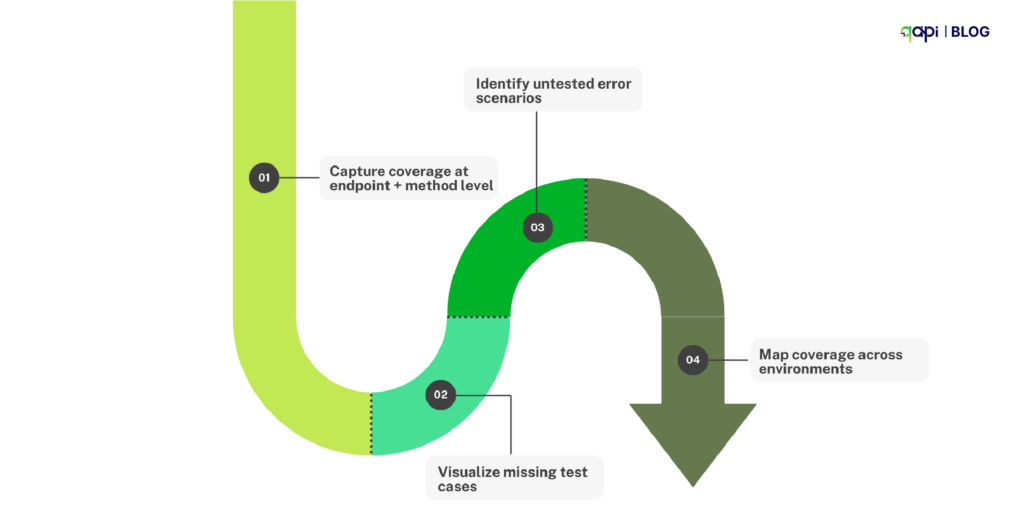
• Capture coverage at endpoint + method level
• Visualize missing test cases
• Identify untested error scenarios
• Map coverage across environments
Coverage analytics gives your QA and engineering a clear, shared picture of risk — something long missing in API testing tools.
Why do API tests pass in dev but fail in staging or production?
Environment inconsistencies are extremely common: different configs, missing data, disabled services, or outdated versions. An API test that passes in dev may hit a slightly different setup in staging, causing failures that look like bugs but aren’t.
Teams can solve this by syncing environment variables, standardizing configurations, validating endpoints before running tests, and maintaining consistent datasets. This reduces false failures and speeds up debugging dramatically.
How do you stop flaky API tests from breaking your CI/CD pipeline?
CI/CD instability often comes from slow APIs, wrong sequencing, token failures, and flaky dependencies. When tests randomly fail in CI, teams start ignoring real issues. To prevent this, teams should use smoke tests to validate health, run high-value tests early, remove unstable integration tests, and re-run only failed tests intelligently. This reliable CI/CD testing strategy will allow teams to release faster without compromising quality.
How can you speed up regression testing for 500–1000+ APIs?
Regression cycles stretch into hours, pipelines slow down, and releasing confidently becomes harder with every added endpoint. This is exactly where modern functional API testing platforms make a difference — and where qAPI is created to excel.
qAPI handles large-scale regression intelligently: tests run in parallel across the cloud, suites are generated from imports or AI-driven workflows, and only impacted tests execute when an API changes. Instead of waiting for full suites to run, teams get instant signals on what matters.
Coverage gaps become visible, environment stays in sync, and even complex workflows remain maintainable without heavy scripting.
Excellent point. The key is to provide value and solve the reader’s problem first, then subtly position qAPI as the ideal tool for implementing the solution.
How to Architect an API Functional Testing Strategy That Actually Works
Start Going Beyond Status Codes: Validate the Whole Transaction
A “200 OK” means nothing if the data is wrong. Your tests must validate the entire contract: status, headers, response time, and the JSON payload itself. Is the `order_id` a string or an integer? Is `created_at` in the right format?
So, you catch data integrity issues before they corrupt downstream systems.
Systematically Test Happy Paths and Sad Paths
Of course, test that a valid payment goes through. But also test:
– What happens with an expired credit card?
– A duplicate transaction ID?
– A request with a missing auth token?
qAPI can auto-generate these negative test cases from your API spec.
Mock Your Dependencies from Day One
Don’t let your testing rely on a staging environment that’s always down or a third-party API that’s rate-limited. Use mock servers to simulate dependencies.
The result: Your tests are fast, reliable, and can run anywhere — including a developer’s laptop in 30 seconds. This is a core meaning of “shift-left” testing.
Make Tests a Non-Negotiable CI/CD Gate
If a developer can merge code that breaks an API contract, your safety net has failed. Your core functional tests must run on every commit or pull request. No exceptions.
You should catch breaking changes in minutes, not days. This single practice can slash bug leakage by up to 80%.
Make the move
Adopting this architectural approach isn’t just “better testing” it’s the right move.
Functional API testing is no longer just about checking status codes. It’s about proving your business logic across distributed systems, managing change at speed, and delivering reliable experiences in a world where microservices evolve daily.
With AI-assisted test creation, codeless automation, contract validation, and cloud-native execution, qAPI helps teams shift from reactive defect hunting to proactive quality engineering.
The teams that invest in functional API testing today will be the ones shipping faster, fixing earlier, and building more resilient systems tomorrow. And qAPI makes that shift not only possible, but effortless.